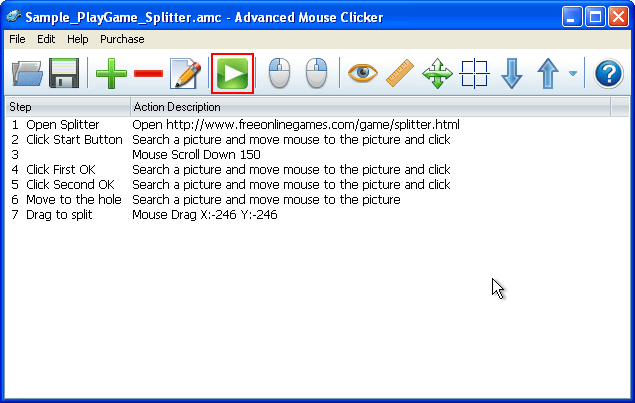
Automatically play a game: Splitter
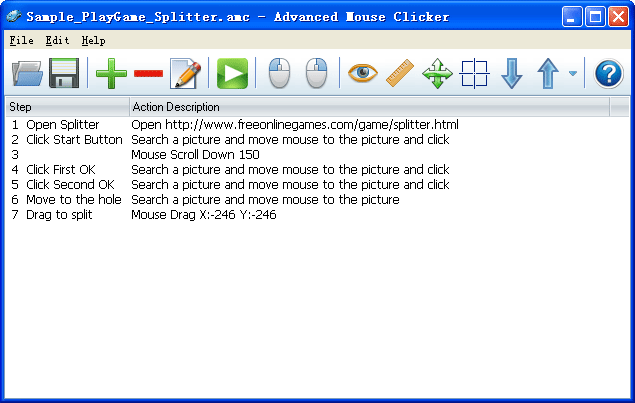
Step 1. Open Splitter
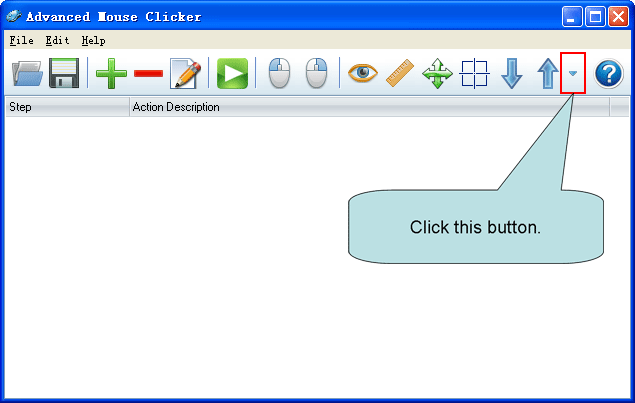
Click the More Button, then click 'Open File'.

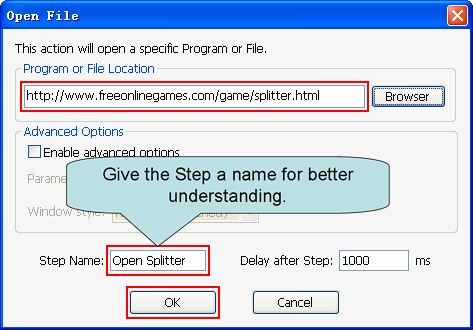
Copy and paste the following URL to the 'Program or File Location':
http://www.freeonlinegames.com/game/splitter.html
Then click 'OK'.
Step 2. Click Start Button
Open the following URL:
http://www.freeonlinegames.com/game/splitter.html
When you see the picture below, click the Eye Button, and move mouse to the game button 'Start game'. And then click to cut a piece of the 'Start game' button.

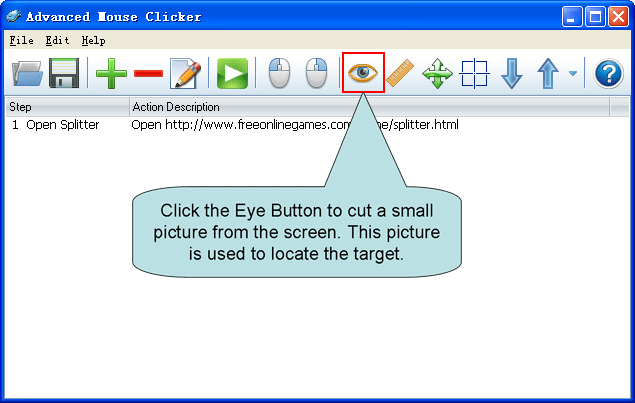
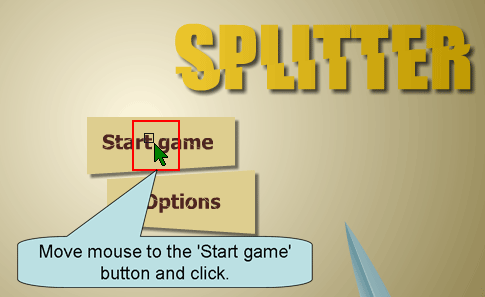
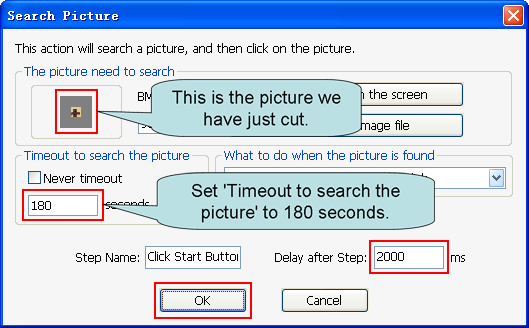
Because the game will take less than 3 minutes to load, so we set 'Timeout to search the picture' to 180 seconds.
Set 'Delay after Step' to 2000 ms.
Then click 'OK'.
Step 3. Mouse Scroll Down 150
This Step is not always necessary. But in order to ensure that the entire Game Zone is visible on the screen, we added this step.
If you want to know how to add a Mouse Scroll Event, please see: How to Add A Mouse Scroll Event.
Step 4. Click First OK
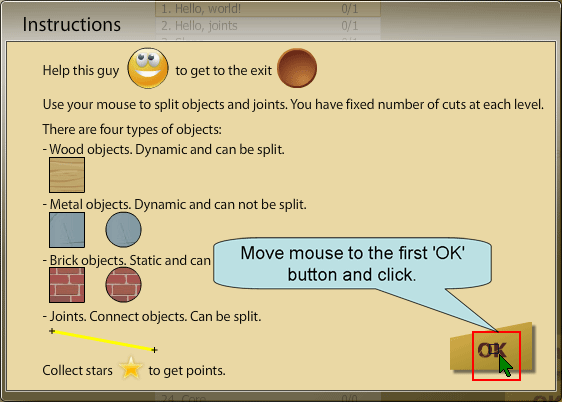
Click the 'Start game' button of the game, you will see the picture below.
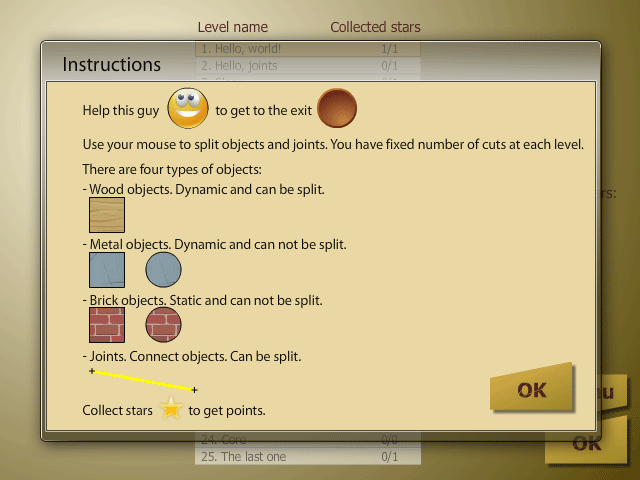
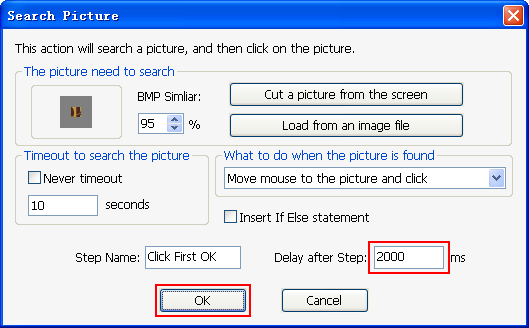
Then click the Eye Button again, and move mouse to the game button 'OK'. And then click to cut a piece of the 'OK' button.
Set 'Delay after Step' to 2000 ms.
Then click 'OK'.
Step 5. Click Second OK
Similar to Step 4, click the first 'OK' button of the game, you will see the picture below.
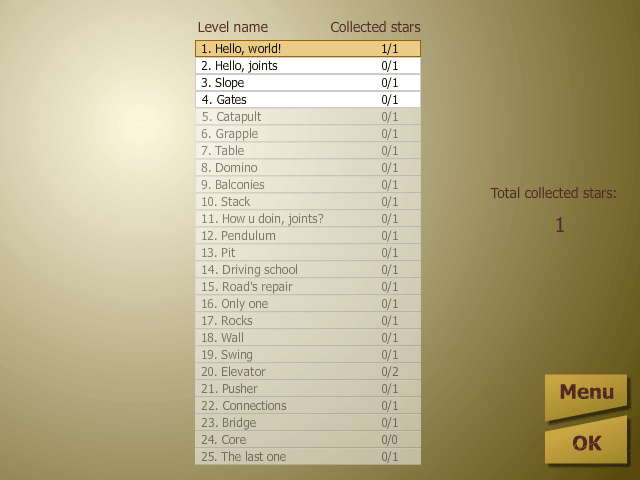
Then click the Eye Button again, and move mouse to the second 'OK' button of the game. And then click to cut a piece of the second 'OK' button.
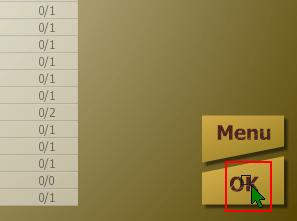
Then click 'OK'.
Step 6. Move to the hole
This Step will move the mouse to the hole.
Click the second 'OK' button of the game, you will see the picture below.
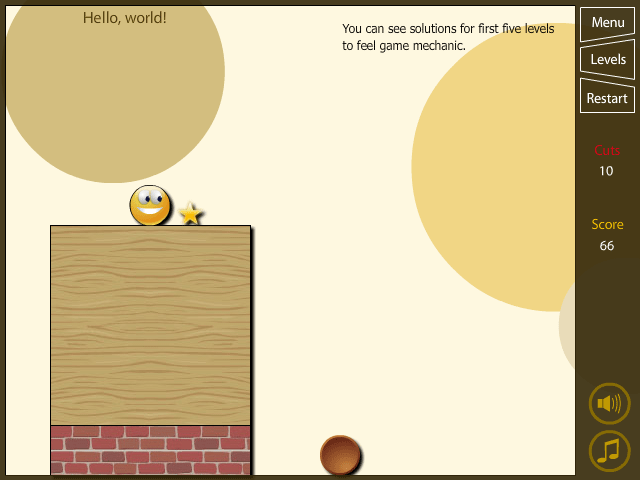
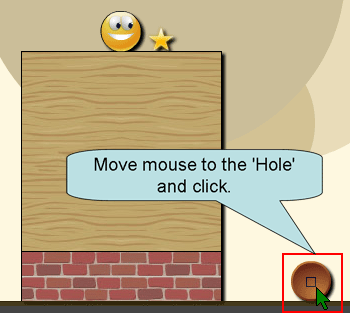
Then click the Eye Button again, and move mouse to the 'Hole' of the game. And then click to cut a piece of the 'Hole'.
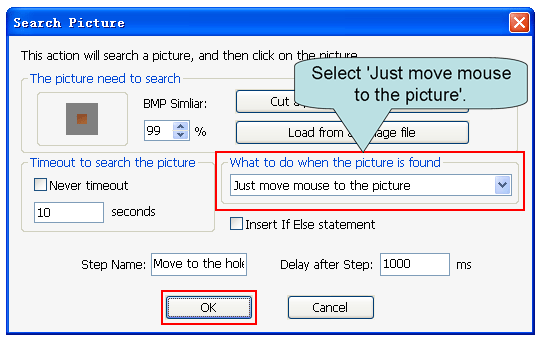
Select 'Just move mouse to the picture', then click 'OK'.
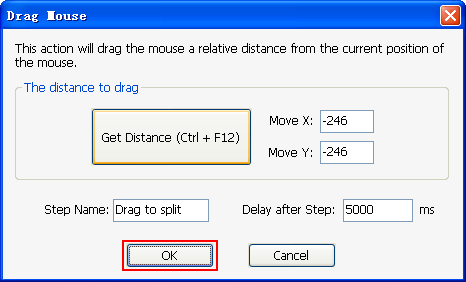
Step 7. Drag to split
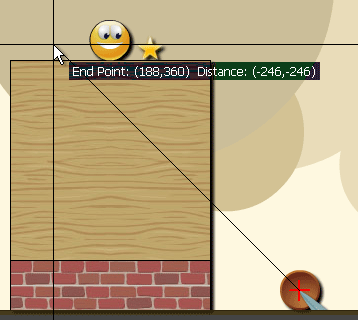
Click the Drag Mouse Button, then move mouse to the 'Hole' and click.
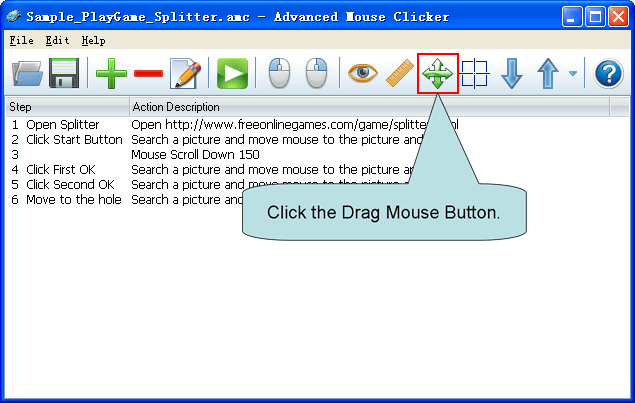
Then move the mouse to make a line to split, and click.
Then click 'OK'.
Now Action Script has been built. Click the Run Button, you will see the program automatically play the game.